WiFi Pineapple Tetra: Personal Vulnerability Investigation
Introduction
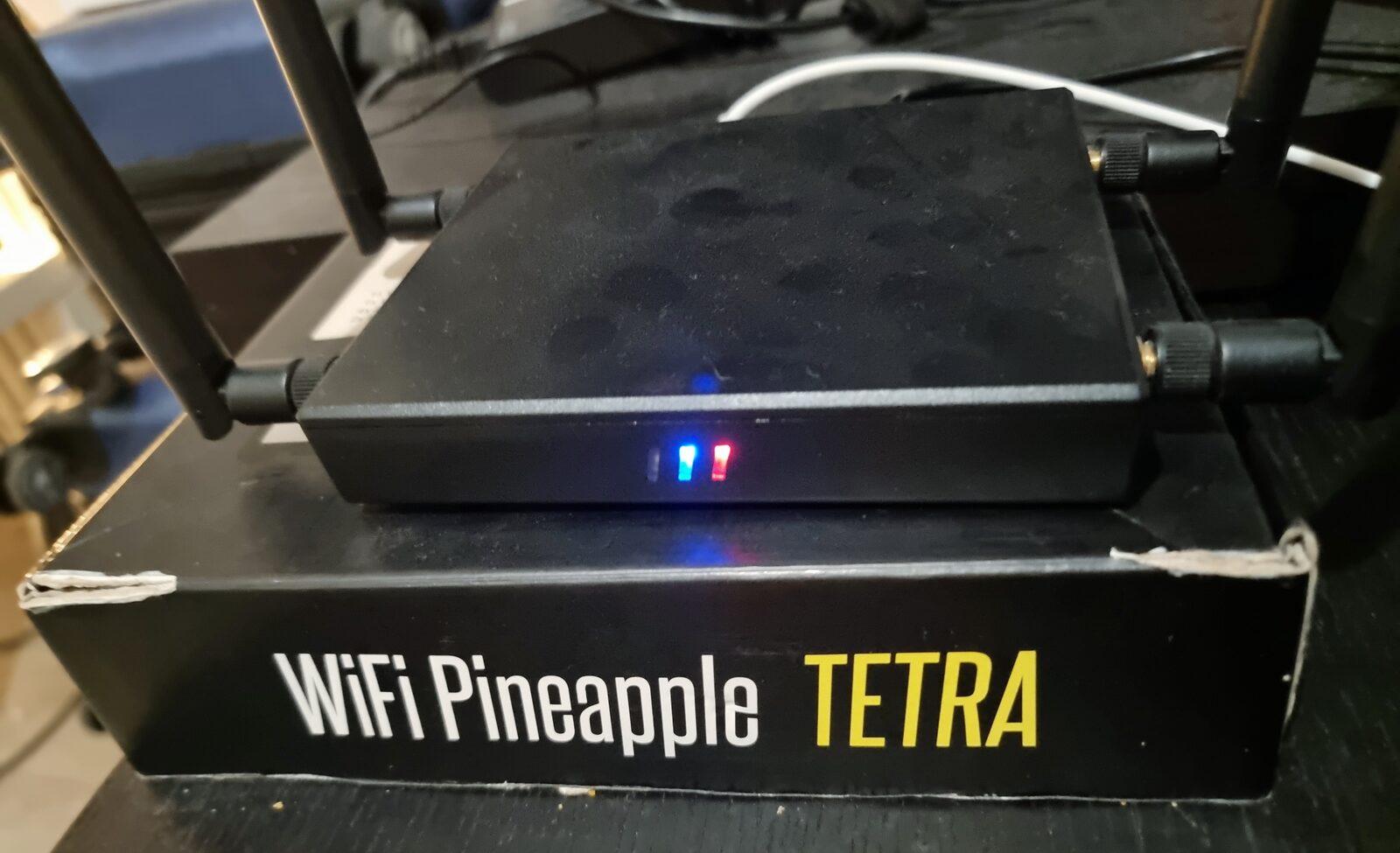
For this Personal Vulnerability Investigation (PVI) project, I chose the WiFi Pineapple Tetra from Hak5. Wi-Fi networks are an essential part of everyday life, and as reliance on wireless communication grows, so does the need to scrutinize the security of these networks. The Pineapple Tetra offers capabilities that interest both security professionals and malicious actors alike, I wanted to understand exactly what it could do.
Main research question: How does the WiFi Pineapple Tetra, when used with Android devices, enhance portability for hacking, especially when paired with NFC-based social engineering?
Sub-questions:
- Portability, how can it be used with an Android device?
- Effectiveness in hacking, in what ways does it create real-world security threats, and what modules are used for common attacks?
- Social engineering with NFC tags, what's possible when combining the device with NFC tags?
Making It Portable
Getting the Pineapple production-ready normally means keeping it tethered to a laptop. To make it genuinely portable, I used just three things: an Android phone with mobile data and USB tethering, a power bank, and a USB-C cable.
After the initial setup (assigning a static IP, enabling SSH/web access, configuring PineAP), the key insight was that connecting the Pineapple to the internet over Wi-Fi restricts PineAP's attack features due to conflicts with its own radios. Routing its internet connection over USB tethering from an Android phone instead sidesteps that limitation entirely, freeing up the Wi-Fi radios for PineAP's rogue-AP and reconnaissance features while still giving the device internet access, all powered by a power bank. That combination is what makes the device fully portable and fully capable at the same time.
Effectiveness in Hacking
The Pineapple Tetra can carry out several attack techniques: rogue access points, man-in-the-middle attacks, PineAP reconnaissance, deauthentication/jamming, sensitive data capture, credential harvesting via captive portals, and evading some Wi-Fi security measures.
For this investigation I focused on two of these:
Rogue access points. Using PineAP's reconnaissance mode, the device scanned a wide radius, picking up SSIDs across almost my entire neighborhood, and let me clone a legitimate network's name into the SSID pool. With beacon response and SSID broadcasting enabled, this produced a fake access point indistinguishable by name from the real one. Anyone who unknowingly connects to it risks having their traffic intercepted, since the attacker's device now sits between them and the internet. The practical defense: use WPA2-PSK networks rather than open ones, and if you must use an open network (coffee shops etc.), use a VPN.
Modules. As of the time of testing, the Pineapple's module library had 54 entries, though several no longer work against modern browsers (e.g. SSLstrip, countered by browser vendors). Five still-functional modules stood out: DNSspoof + Evil Portal (together, these let me redirect traffic to a fake login page), Status (device health overview), DWall (HTTP traffic sniffing, a must-have), and RandomRoll (redirects HTTP traffic to a gif, more novelty than threat).
Social Engineering with NFC Tags
This is the part of the investigation I found most interesting, and the one that isn't often discussed alongside Pineapple usage. NFC tags can hold small data payloads, including saved Wi-Fi network credentials that a phone will read and offer to connect to automatically.
Using the NFC Tools app, I wrote the rogue access point's SSID as a Wi-Fi network record onto a blank NFC tag. Holding another phone near the tag immediately produced a low-friction "Connect to network?" prompt, no password required, since the network was open. On first connection, Android does show a "suspicious activity detected" warning, but the escape hatch is a one-tap "add to exceptions", trivial for an attacker to talk a target through, and after that the warning never reappears.
Conclusion: I was expecting at least a password-style confirmation step for connecting to Wi-Fi via NFC, and there wasn't one. In my view this is a gap in how Android's NFC-to-Wi-Fi flow was designed, a confirmation prompt with a real security cost (not just a dismissible warning) would meaningfully close this off. I also tested this against iPhone: the same NFC-to-Wi-Fi flow does not work on iOS.
Reflection
This was a genuinely fun PVI to run end to end, from portability engineering, to reconnaissance and rogue-AP creation, to a social engineering vector I hadn't seen documented elsewhere. It sharpened both my offensive understanding of Wi-Fi security and my instinct for the kind of low-effort, high-impact gaps that matter in a SOC context: this is exactly the class of attack a security analyst needs to recognize before their organization's staff ever plug in a "found" USB stick or tap an unfamiliar NFC tag.